
File organization,fully automated.
Bring folders to Shopify's file manager. Drag-and-drop, auto-sorting, bulk SEO alt editing, and orphan file detection — all in one app.
7-day free trial · One-click install
Sound familiar?
Your file library is a mess
Past a thousand files, nothing is where you remember. Searching by filename only surfaces more duplicates, and you waste minutes every single time.
Editing alt text one image at a time wastes hours
Shopify's native file manager lets you edit alt text one image at a time. Running an SEO audit on a few hundred images turns into a full afternoon.
Unused files are quietly eating your storage
Every product swap leaves orphaned files behind. With no way to list them, your storage bill keeps climbing while no one notices.
We fix all of it.
Competitor Comparison
Why FileFolders?
| Feature | Shopify native | Other file apps | FileFolders |
|---|---|---|---|
| Folder hierarchy | None | Shallow only | Unlimited |
| Drag & drop | No | Partial | Yes |
| Auto-sorting rules | No | No | Pro |
| Bulk alt editing | No | No | Pro |
| Orphan detection | No | No | Pro |
| Japanese UI | Yes | Often English only | Full support |
| Price | Free | $30–50 / mo | $9.99–$19.99 / mo |
Comparison based on common Shopify file management apps as of April 2026.
Four core features
Everything you need for file management.
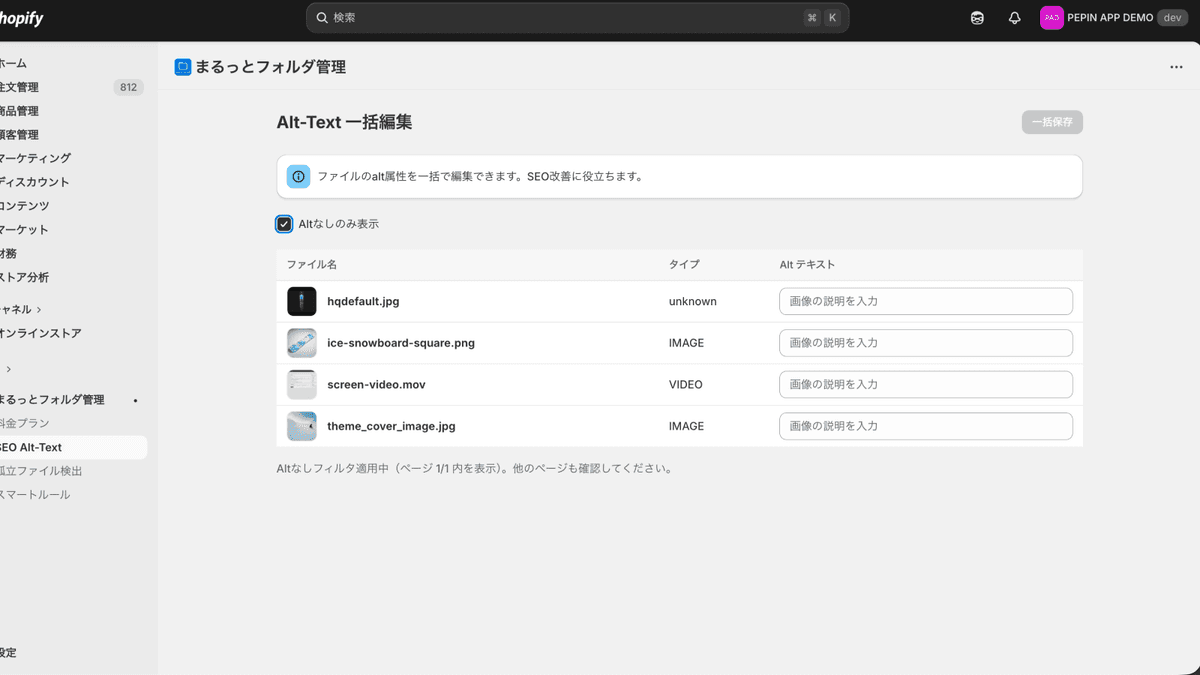
Organize with folders
Create unlimited folders and subfolders. Organize intuitively with drag-and-drop so the right file is always one click away, even as your library grows.
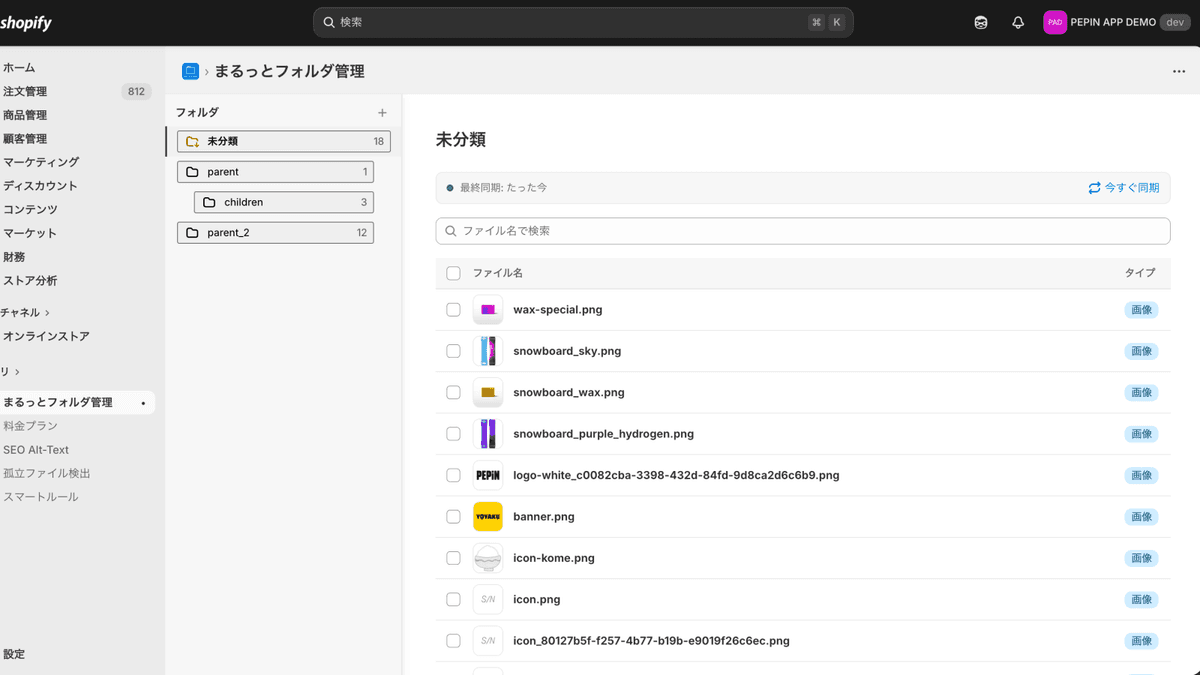
Auto-sort on upload
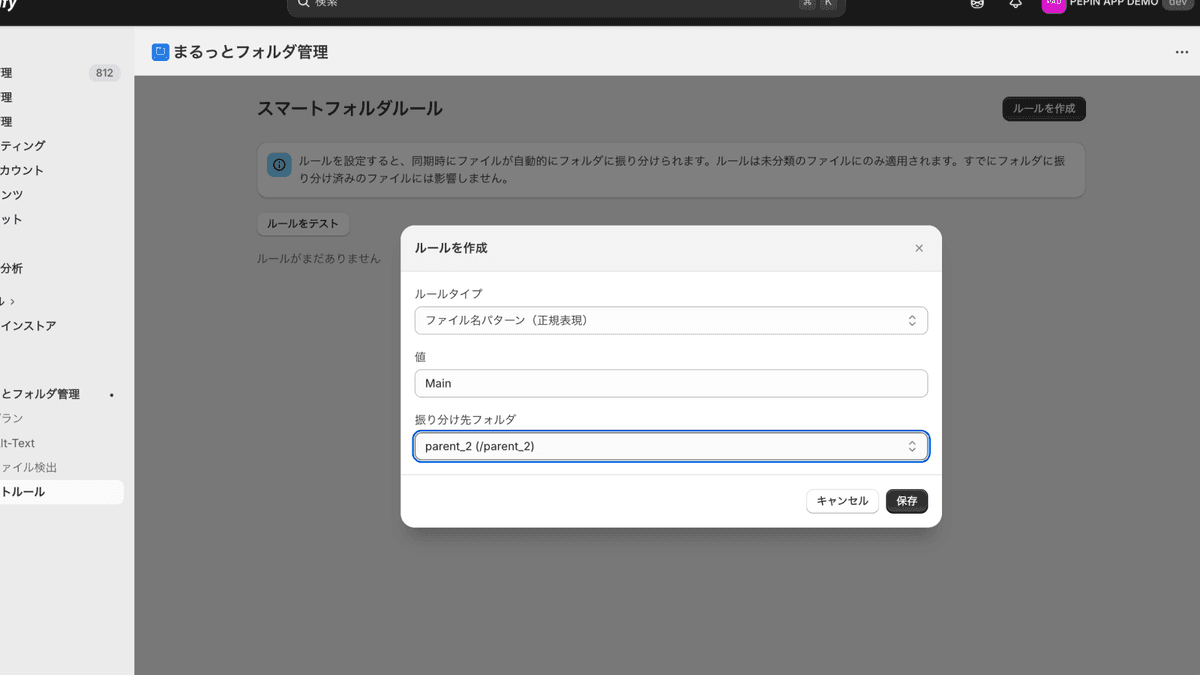
New uploads land in the right folder automatically based on filename patterns or media type. Set once, never manually sort again.
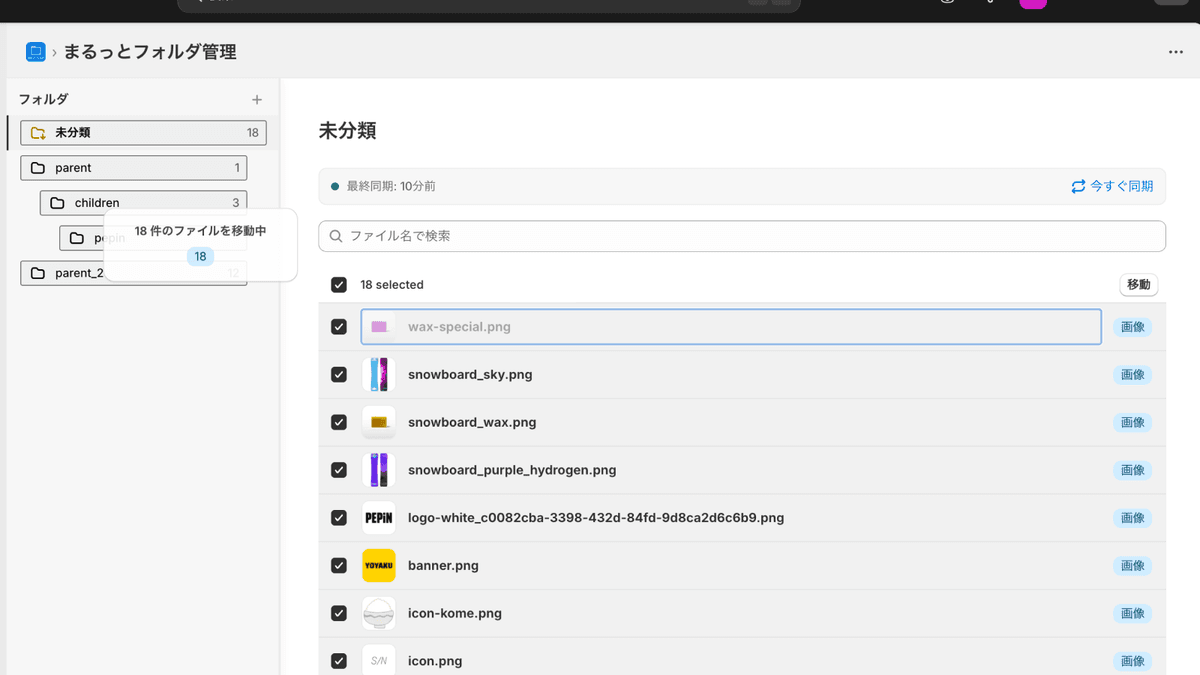
Bulk-edit alt text in one place
Edit alt text for many images from a single view. Filter to missing-alt only for efficient SEO audits.
Clean up unused files
Detect orphan files not used as product media. Bulk-delete to cut storage costs.
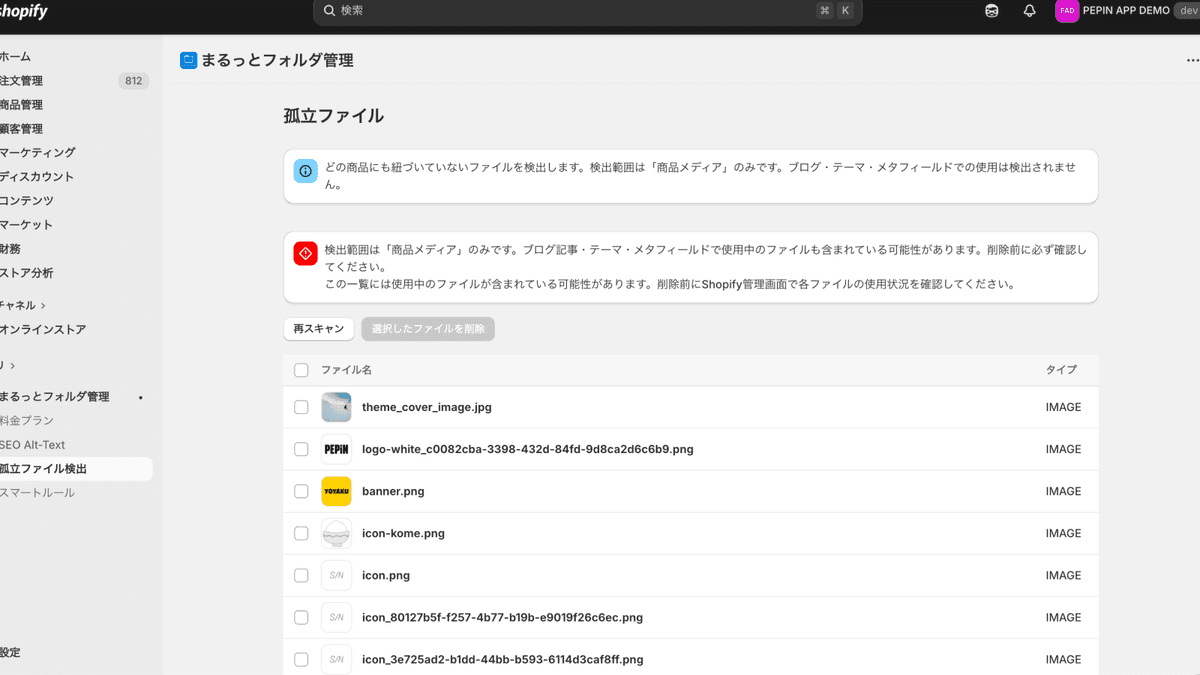
Orphan detection checks product media only. Files used in blog posts, themes, or metafields are not detected — please verify in Shopify admin before deleting.
How it works
Up and running in 3 steps.
Install the app
Install in one click from the Shopify App Store. Your existing files sync automatically.
Create folders, organize files
Drag-and-drop to organize. Optionally set up auto-sorting rules for new uploads.
Let it run on its own
New uploads are auto-sorted. Run SEO audits and orphan cleanups only when needed.
See how it feels in under a minute.
Shopify integration
Seamless Shopify integration.
Runs inside Shopify admin
Embedded via App Bridge, so it feels native inside Shopify admin. No tab-switching, no context loss.
Auto-sync with Files API
Syncs with the Shopify Files API every 5–15 minutes. Additions and deletions reflect near-real-time.
Changes reflect back to Shopify
Filename and alt text edits are pushed back to Shopify instantly, with no duplicate state to maintain.
Native look and feel
Built on Shopify Polaris. Your team uses it like any other part of the admin.
See it in action.
From folder organization to SEO editing, everything is designed to be obvious at a glance.
Drag-and-drop moves files
Click to enlargeNest folders freely
Click to enlargeCreate rules for automation
Click to enlargeBulk-edit alt text
Click to enlarge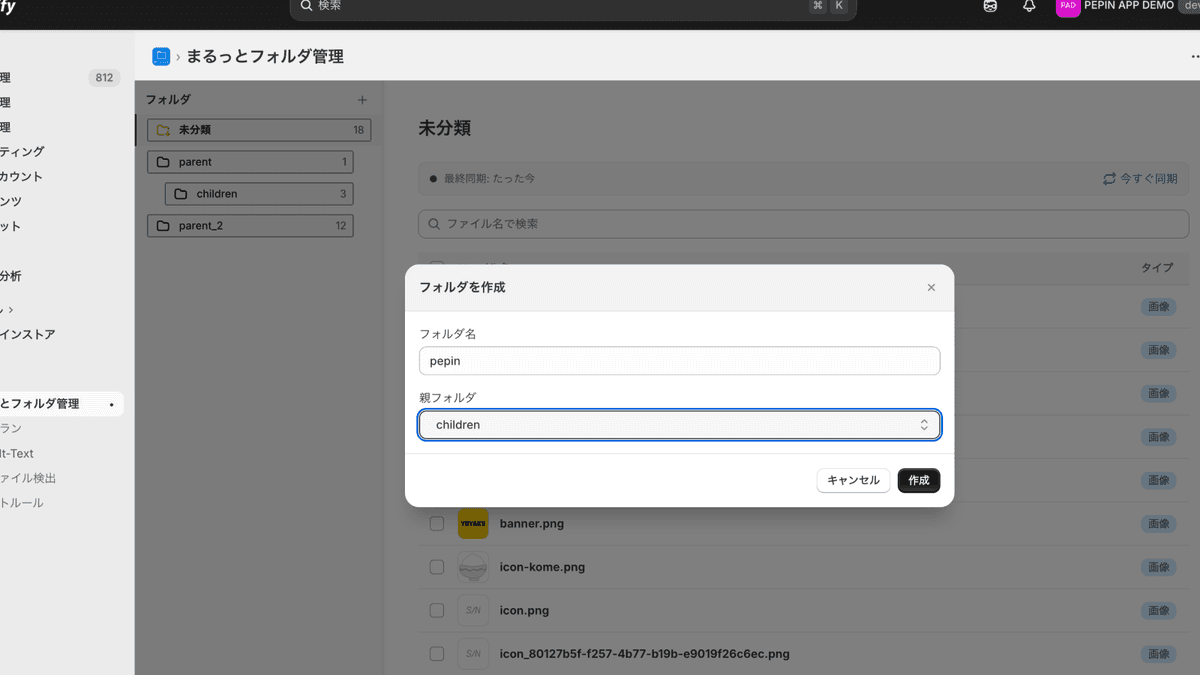
Filter to missing-alt only
Click to enlargeDetect unused files
Click to enlarge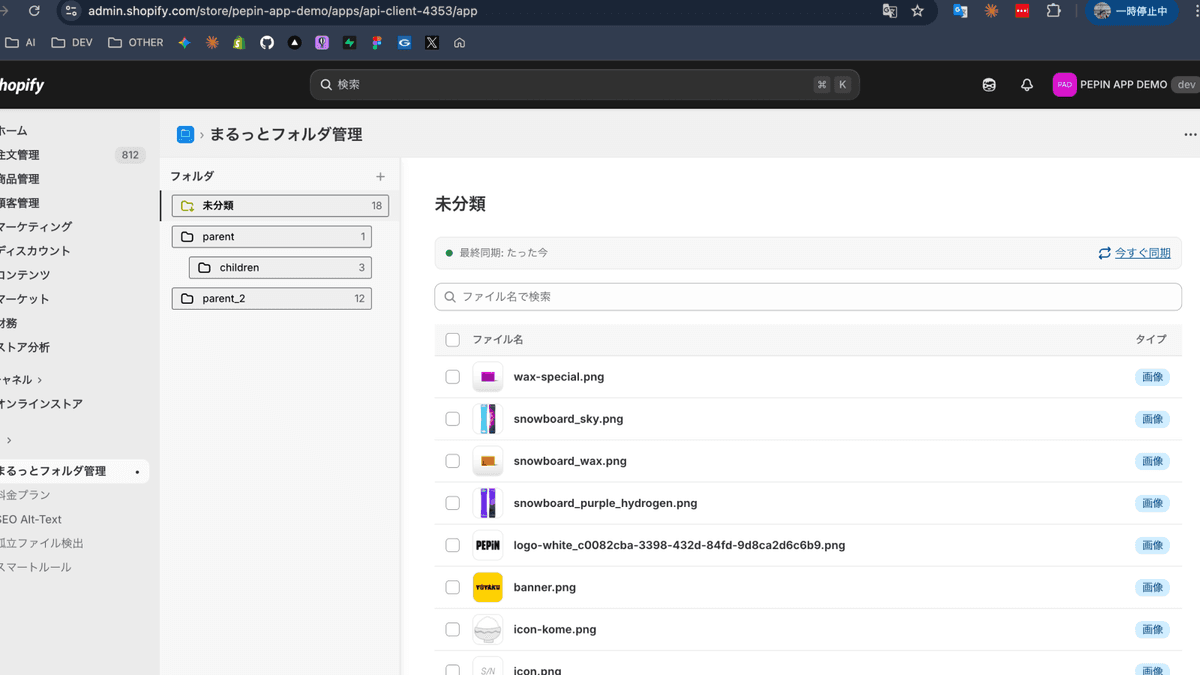
Select and bulk-delete
Click to enlargeTrust & reliability
Built with enterprise-grade security.
Encrypted access tokens
Shopify access tokens are encrypted at rest with AES-256-GCM. Even if data leaks, decryption is impossible without the key.
Strict per-shop data isolation
Every query is scoped by shopId at the framework level. Cross-shop access is impossible by design.
GDPR compliant
Automatically responds to customer data request and redact webhooks to meet compliance requirements.
Tokyo region + continuous backup
Hosted on Fly.io Tokyo (nrt). Data is backed up continuously via Litestream with second-level RPO.
Who it's for
A great fit for stores like yours.
Stores with 500–5,000 products
Past 1,000 files, you need folders. Let us bring order to your library.
SEO-focused stores
Missing alt text is missed SEO opportunity. Fix it in bulk in minutes.
Growth-stage D2C brands & teams
Teams scatter files. Rules keep them sorted, and orphan detection surfaces the mess.
Simple pricing
7-day free trial on every plan. Cancel anytime.
Starter
Start with the essentials
Pro
Everything — automation, SEO, orphan detection
All prices in USD, billed via Shopify's billing dashboard. Cancel anytime.
Stores already on the legacy Business plan ($19.99) will keep Pro-equivalent features.
FAQ
Frequently asked questions
No. You won't be charged during the 7-day trial. Cancel before it ends to avoid any charge.