Turn Shopify Japanese searchinto a findable experience.
Maru Search is a Shopify site search app that absorbs Japanese notation variations. It searches products, blog posts, and pages together on search results and collection pages. Pro brings review collection, replies, and review-powered search improvement into one workflow.
Building your own UI?See the Search API (Pro)
Common challenges
Shoppers can't find products
"リンゴ" and "りんご" are treated as different words. Notation variations cause zero-hit searches, and ready-to-buy shoppers drop off.
Suggestions don't appear
Shopify's default Japanese predictive search often fails (HTTP 417), leaving shoppers without suggestions while they type.
Tag search misfires
Typing "冷凍便" (frozen shipping) also matches products tagged "冷凍" + "定期便". Unrelated results crowd the list and ruin the experience.
Maru Search fixes all of this
Features
Everything Japanese search operations need, in one app.
Japanese notation variation support
Japanese morphological analysis, Unicode normalization, full-width and half-width normalization, case normalization, hiragana and katakana conversion, reading expansion, romaji input conversion, and long-vowel variation handling reduce zero-hit Japanese searches. Sixteen traditional and variant kanji forms — 髙 for 高, 﨑 for 崎, 澤 for 沢 — resolve to the same product.
Products, blogs, and pages
Search product titles, tags, vendors, product types and descriptions. On Basic and up, blog posts and pages are searchable too, and blog article images and page images from the marutto.search_thumbnail metafield can appear in search results.
Search and collection page UI
Search results update asynchronously after typing pauses. On Basic and up, collection pages get search and filter controls scoped to that collection. Filters cover brand, product type, tag, price range, stock, sale, and content type.
Theme-matched display controls
Theme placement, design controls, button and sale/sold-out label text, colors, and shapes, product card controls, display counts, sort order, display modes, and variation display can be tuned from the admin.
From search to sales, fully visualized
Measure search-attributed revenue, orders, and conversion, and visualize the search → product view → cart → purchase funnel. It also measures how notation variations are absorbed and automatically suggests fixes for zero-hit searches. Basic reports — searches, zero-hit rate, click rate, and popular searches — are available on all plans.
Synonyms, redirects, and boost
Pro adds custom synonym dictionaries, search redirects, product boosts, product metafield search, and field weight tuning so you can improve relevance over time. Search API v1 (contract=v1) returns results as JSON so you can build your own search UI.
See Search API patternsSKU / Part numbers
A shopper types "wd650".They land on WD650DR.
In B2B, apparel, and parts catalogs, shoppers search by part number rather than product name. Maru Search gives SKUs and barcodes the heaviest weight of any searchable field, and puts exact matches at the top.
What the shopper types
- wd650Partial input (matched as a prefix)
- WD650Full-width input (reaches the half-width SKU)
- WD650DRExact match
Where they land
WD650DR
However it is typed, the destination is the same. Shoppers never have to learn how your part numbers are written.
- The heaviest field in the index
- SKUs and barcodes carry a weight of 20.0 — twice that of the product title (10.0). A shopper searching by part number is never shown a product that merely happens to contain a similar word in its description.
- Exact matches outrank scoring
- A product whose SKU, barcode, or metafield matches exactly is placed in the top tier before relevance scoring runs. Best-seller and new-arrival boosts cannot push it down.
- Hyphens make no difference
- A segmented code like AP-1234-5KG is suggested from AP-12, and an unsegmented one like WD650DR is found from wd650. Shopify’s built-in search only matches partial input on codes that contain a hyphen, which is where the two diverge.
- Part numbers are never tokenized
- Full-width characters are folded to half-width and letters are lowercased, but no singular/plural conversion and no synonym expansion are applied. One character apart is a different product.
- This behavior is pinned
- Part-number search results are pinned by a quality gate and re-verified on every relevance change, so an update never quietly changes how part numbers rank.
Inside the app
However it is typed, it reaches the same product.
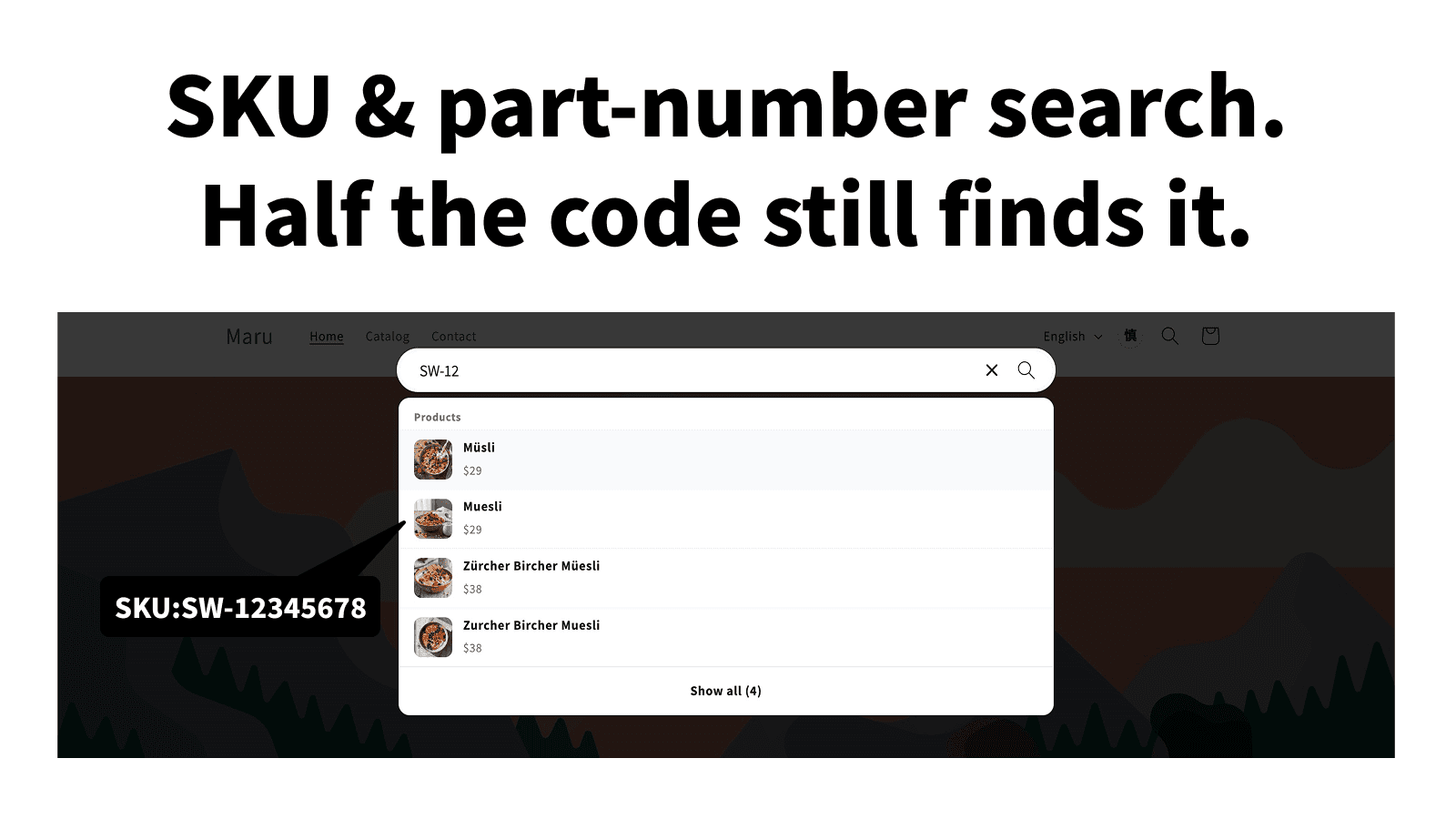
Part numbers and SKUs, matched from partial input
SKUs and barcodes are the heaviest weighted field in the index (20.0, twice the product title), and an exact match is placed at the top tier before relevance scoring runs. Partial input is suggested whether or not the code contains separators.
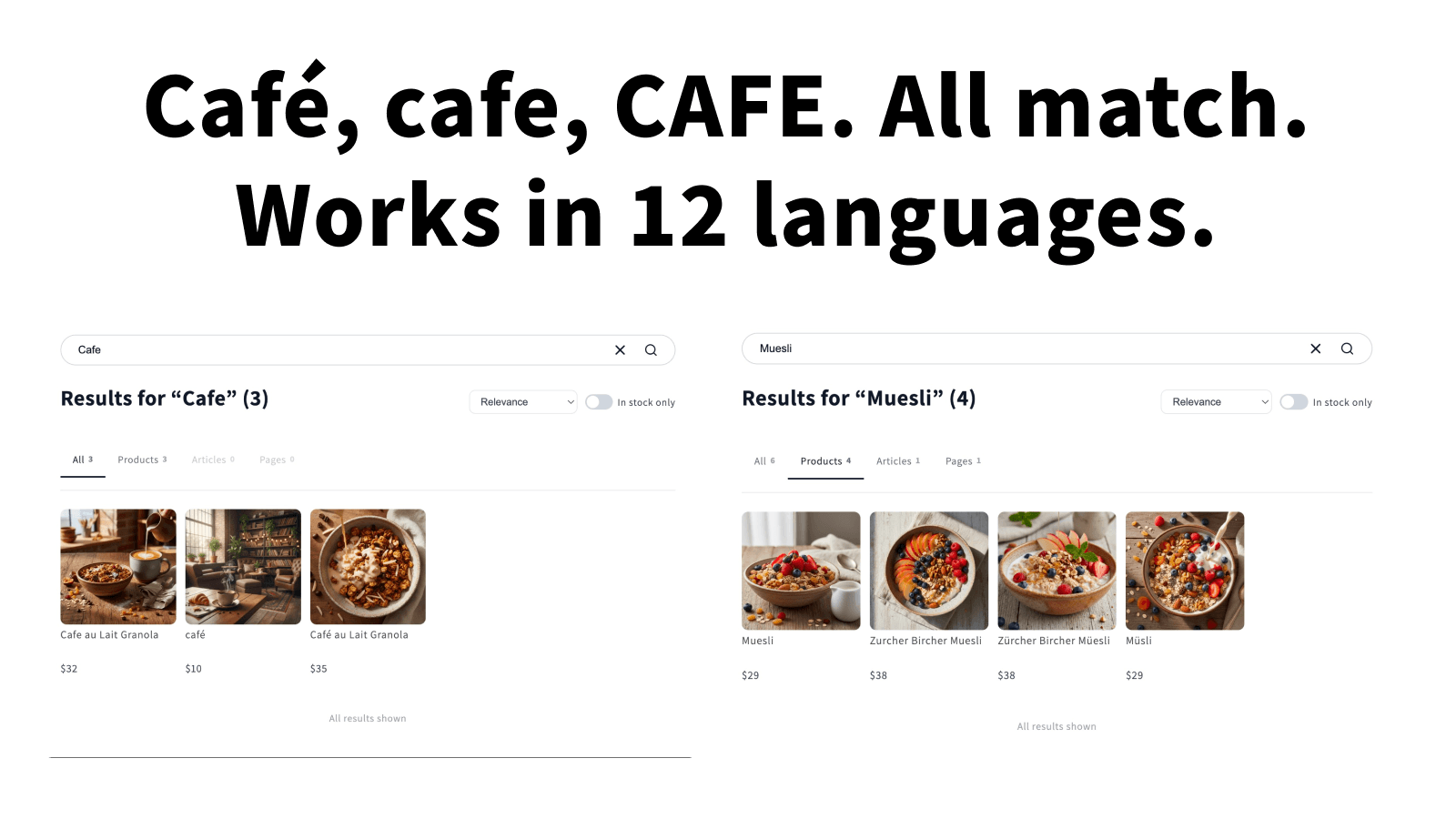
Accents and spelling variants are absorbed
Typing cafe finds Café au Lait Granola; typing Muesli finds Müsli and Zürcher Bircher Müesli. Characters are normalized before indexing, so no synonym entries are needed.
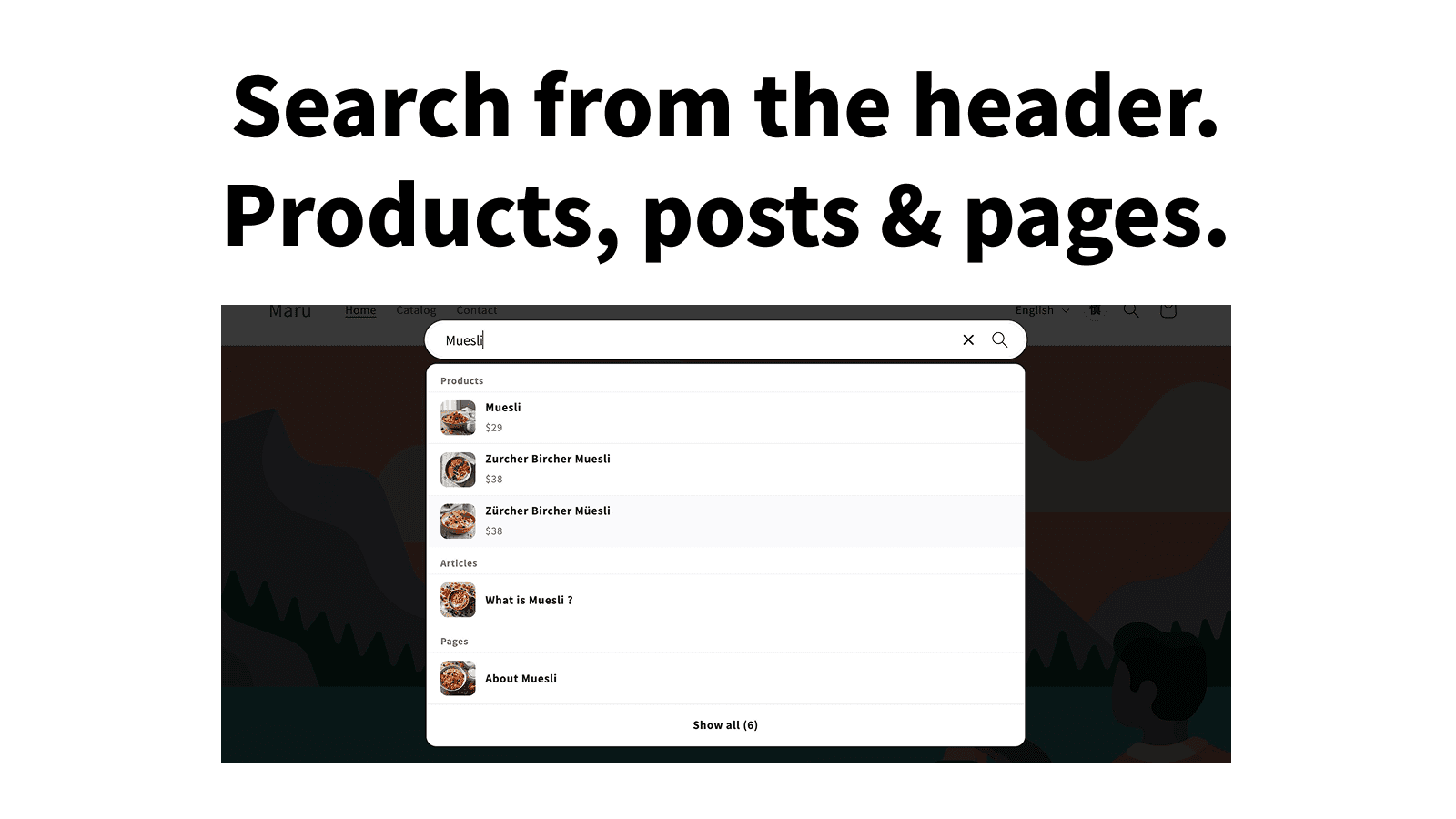
Products, blog posts, and pages from the header
Suggestions are grouped by products, blog articles, and pages as the shopper types. The existing theme header search is not overwritten — this is added as its own block, so removing it leaves the theme as it was.
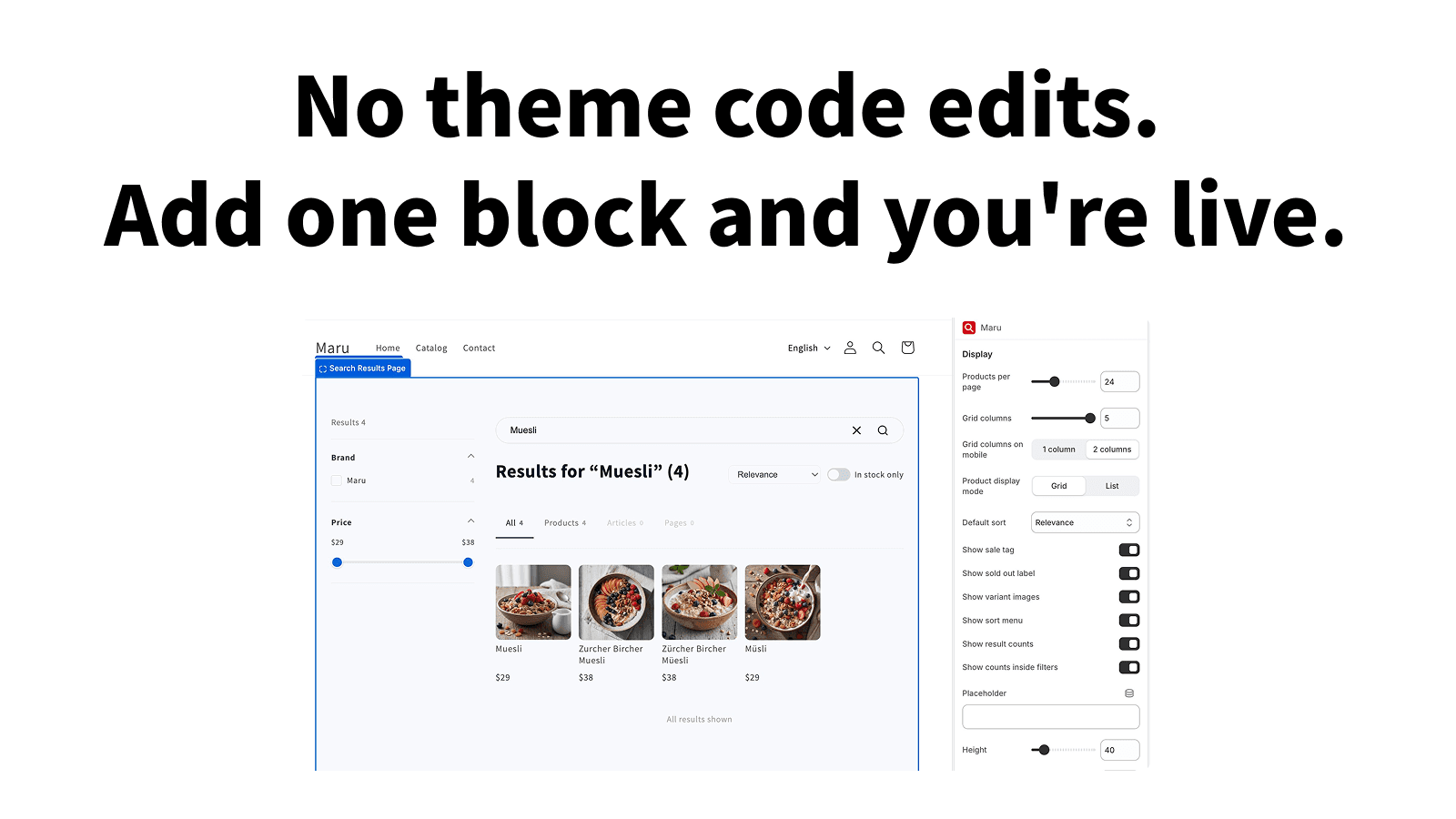
No theme code is rewritten
Results per page, grid columns, mobile columns, sort order, and sale or sold-out labels are all set from the theme editor. Not a single line of the theme files is modified.
Make reviews work inside search.
Collect and display reviews, then connect their ratings to search. Storefront submission and replies, Shopify admin operations, and search relevance now work as one system.
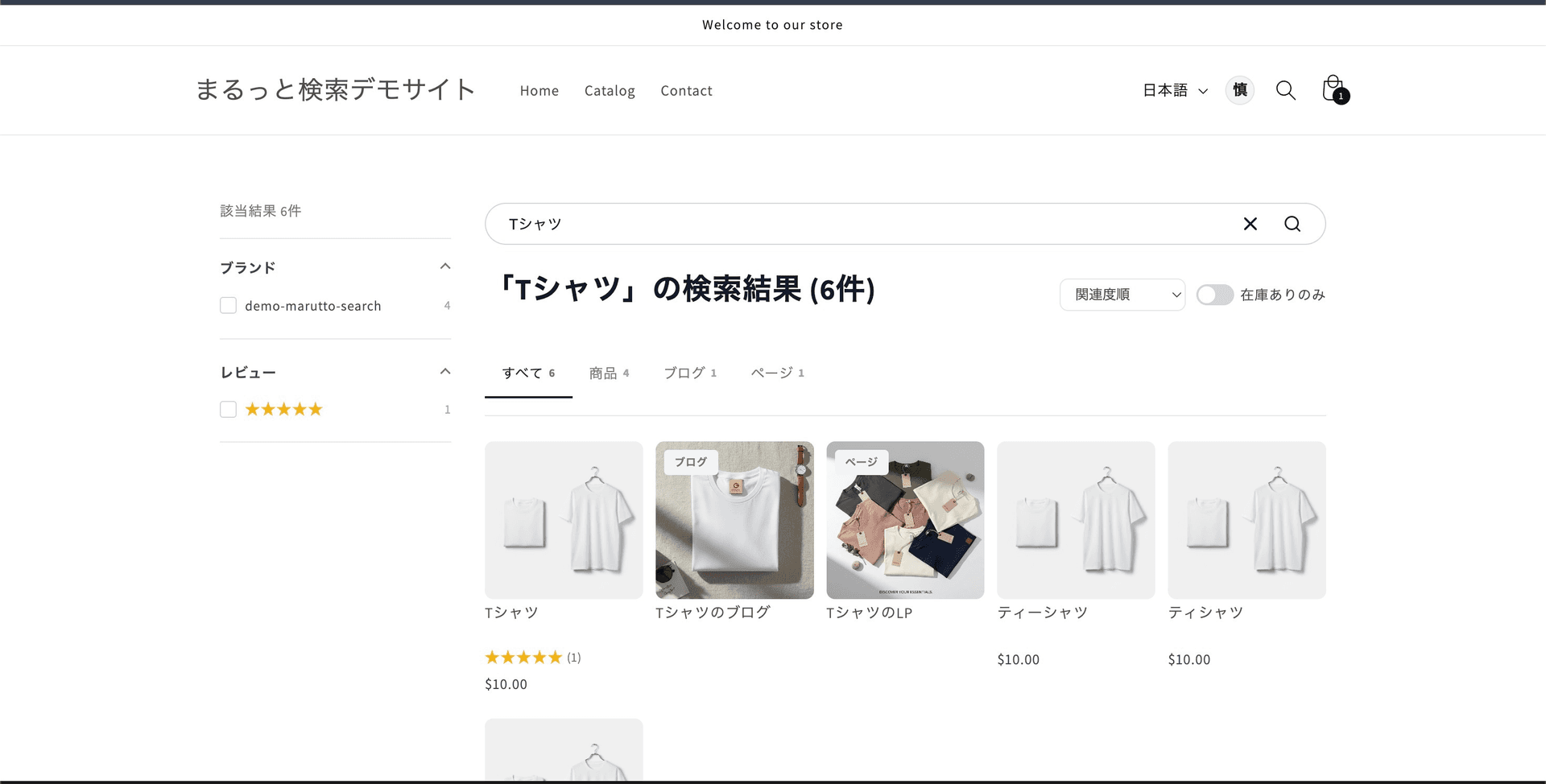
Connect ratings to search results
Show stars and review counts on product cards, let shoppers filter by review rating, and use published ratings and counts as a supporting signal for search relevance so trusted products are easier to find.
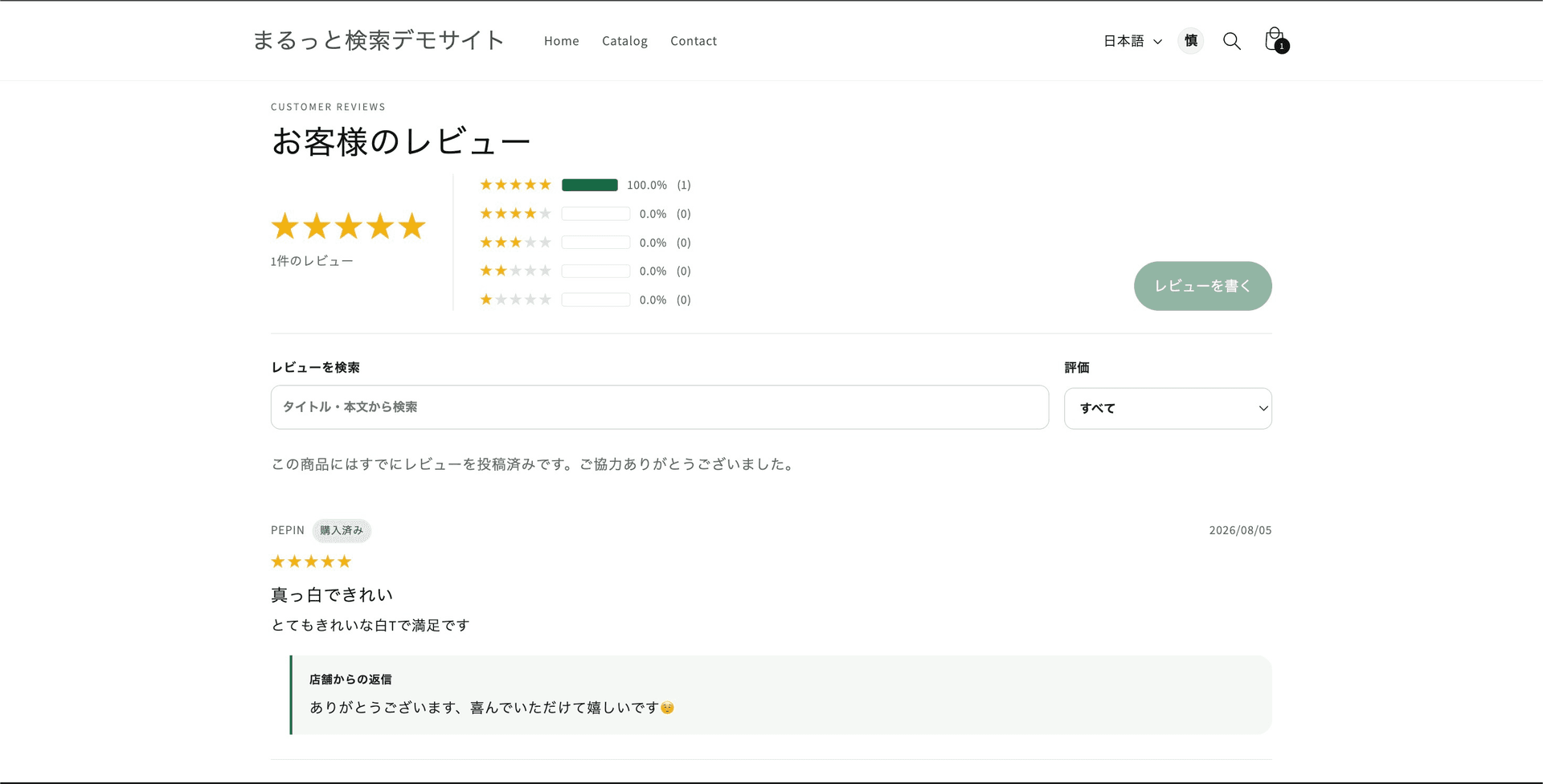
Collect, display, and reply to reviews
Show rating summaries, review search, rating filters, a verified purchase badge, and each merchant reply on the storefront to reduce uncertainty before purchase.
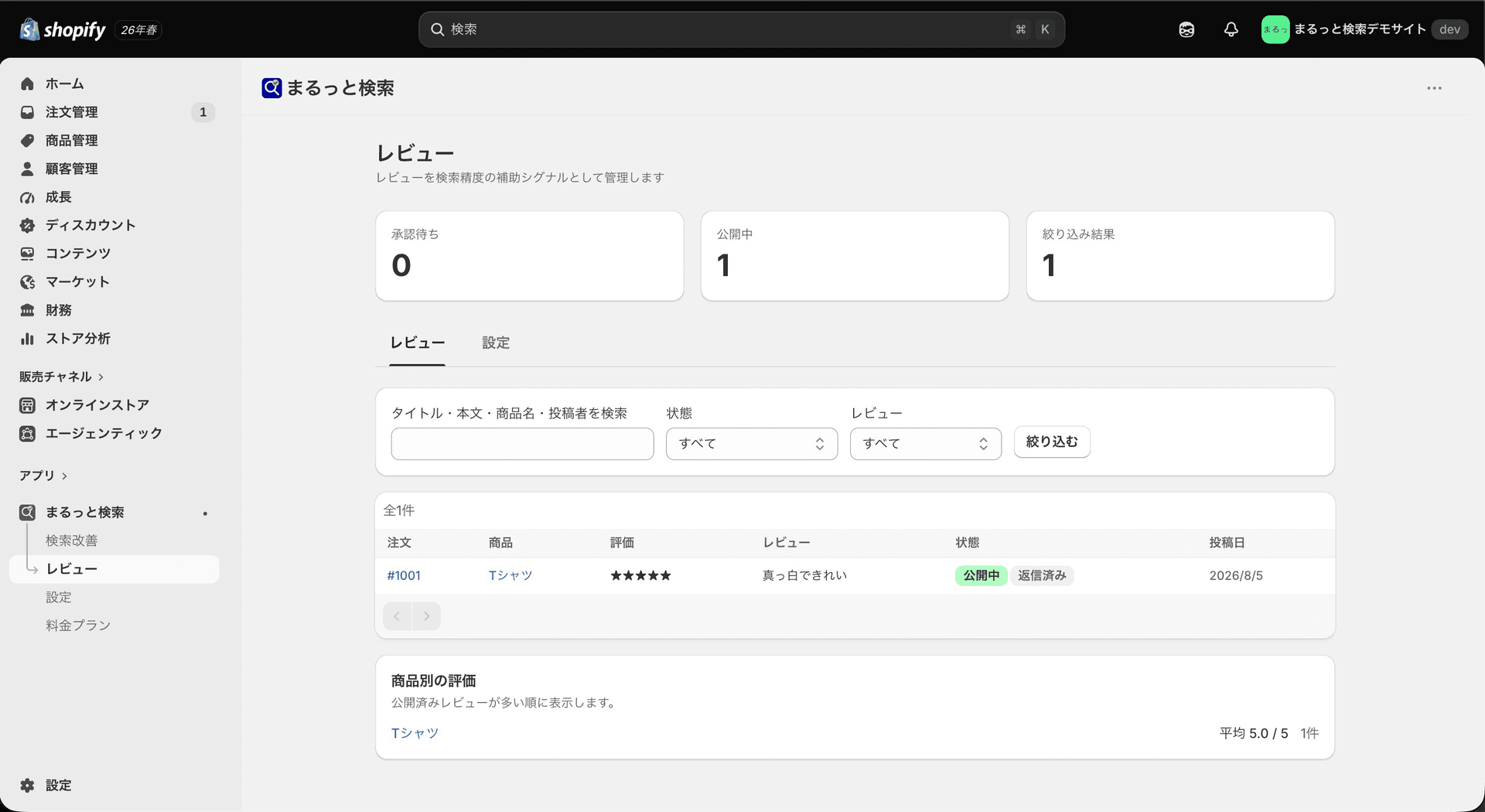
Manage reviews in Shopify admin
Filter pending and published reviews, search by product, author, or rating, control publication, reply to customers, and monitor average product ratings without leaving Shopify admin.
Comparison
The shortest path to Japanese-grade search.
| Option | Price | Japanese support |
|---|---|---|
Shopify built-in | Free | Trigram (no typo tolerance) |
Searchanise / Boost | From $19/mo | Admin not translated into Japanese |
Enterprise SaaS | From ¥50,000/mo | Morphological analysis |
Maru Search | Free / from $29.99/mo | Japanese morphological analysis + normalization |
Many overseas search apps are not translated into Japanese in the admin (checked on the Shopify App Store on Oct 5, 2026).
How it works
No code required. Set up search in five steps.
Install from the App Store
One click from the Shopify admin. No extra setup, no external accounts.
Run the first sync
Run the initial sync in the admin so products, blog posts, and pages are added to the search index.
Turn on the app embed
Enable "App embeds > Maru Search" in the theme editor. Search results and collection page UI appear automatically.
Add header search
Only if you want a header search icon, add the "Maru Search Header Search" block to your header section. Existing header search is not overwritten.
Tune search operations
Tune these controls from the admin: Theme placement, Filter controls, Design controls, Product card controls, and recommended products. Pro adds synonyms, redirects, boosts, Product metafield search, and field weights.
Theme placement
Search/collection placement
Design controls
Text, colors, and shapes
Product webhooks
Products auto-sync
Content sync
Blogs and pages sync by button
Shopify integration
Fits Shopify natively.
Auto-display through app embeds
Search results and collection page UI appear when the app embed is enabled in the theme editor. New installs do not need to place legacy compatibility blocks manually.
Products auto-sync by webhook
Product create, update, delete, and publication changes are reflected in the search index through Shopify Webhooks. The free plan covers up to 50 products; Basic and Pro both have unlimited products.
Blogs and pages sync from admin
Blog posts, pages, and page thumbnails are reflected by the sync button in the admin. Page images can be read from the marutto.search_thumbnail metafield.
Operate search from Shopify admin
Tune analytics, recommended products, theme placement, filter controls, design controls, product card controls, searchable fields, update delay, excluded tags, and Pro synonyms, redirects, boosts, product metafield search, and review management from inside Shopify admin.
Screenshots
See search results, collection pages, header search, and admin operations in the actual screens.
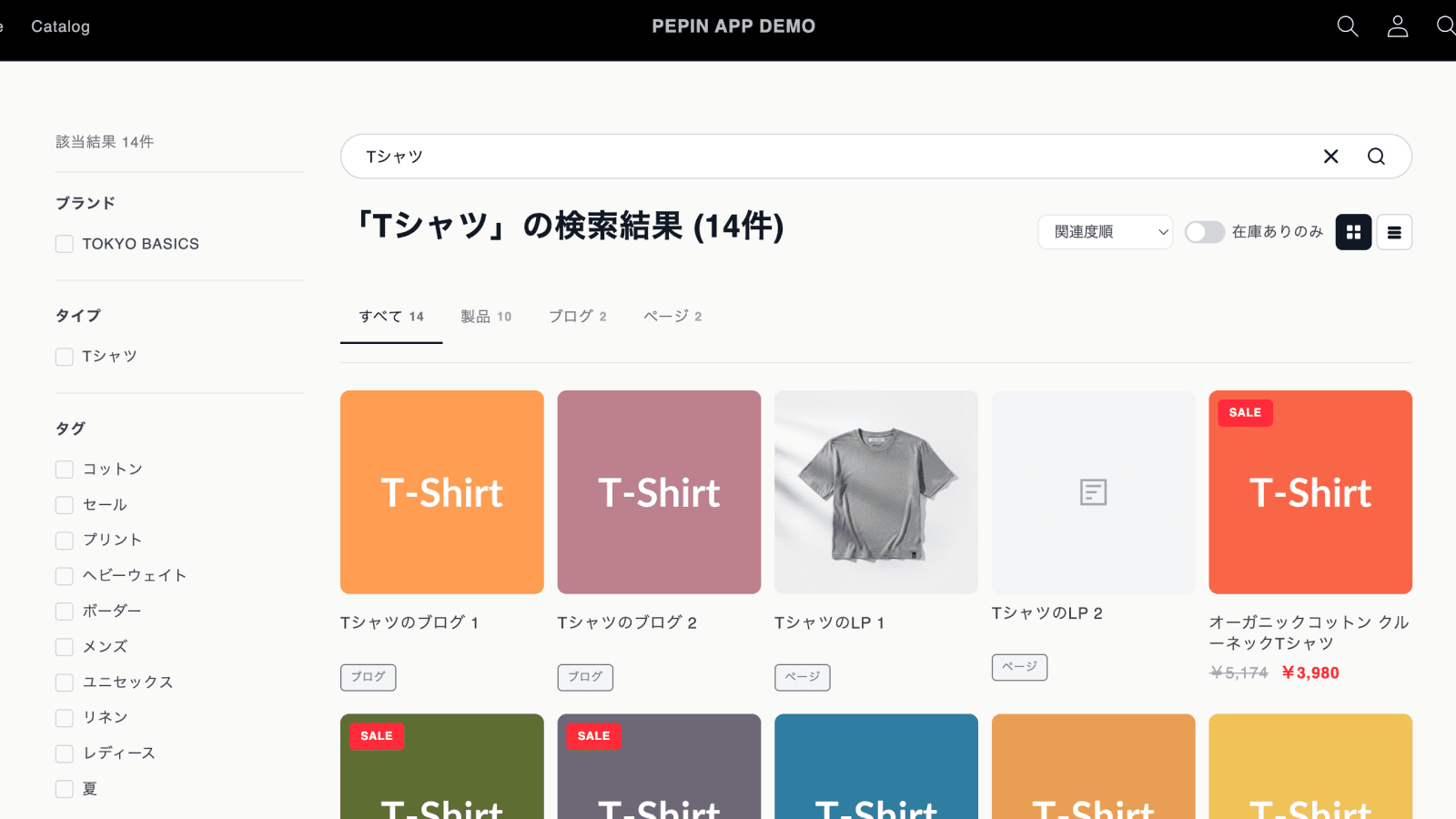
Search results with product, blog, page tabs, filters, and async search
Click to expand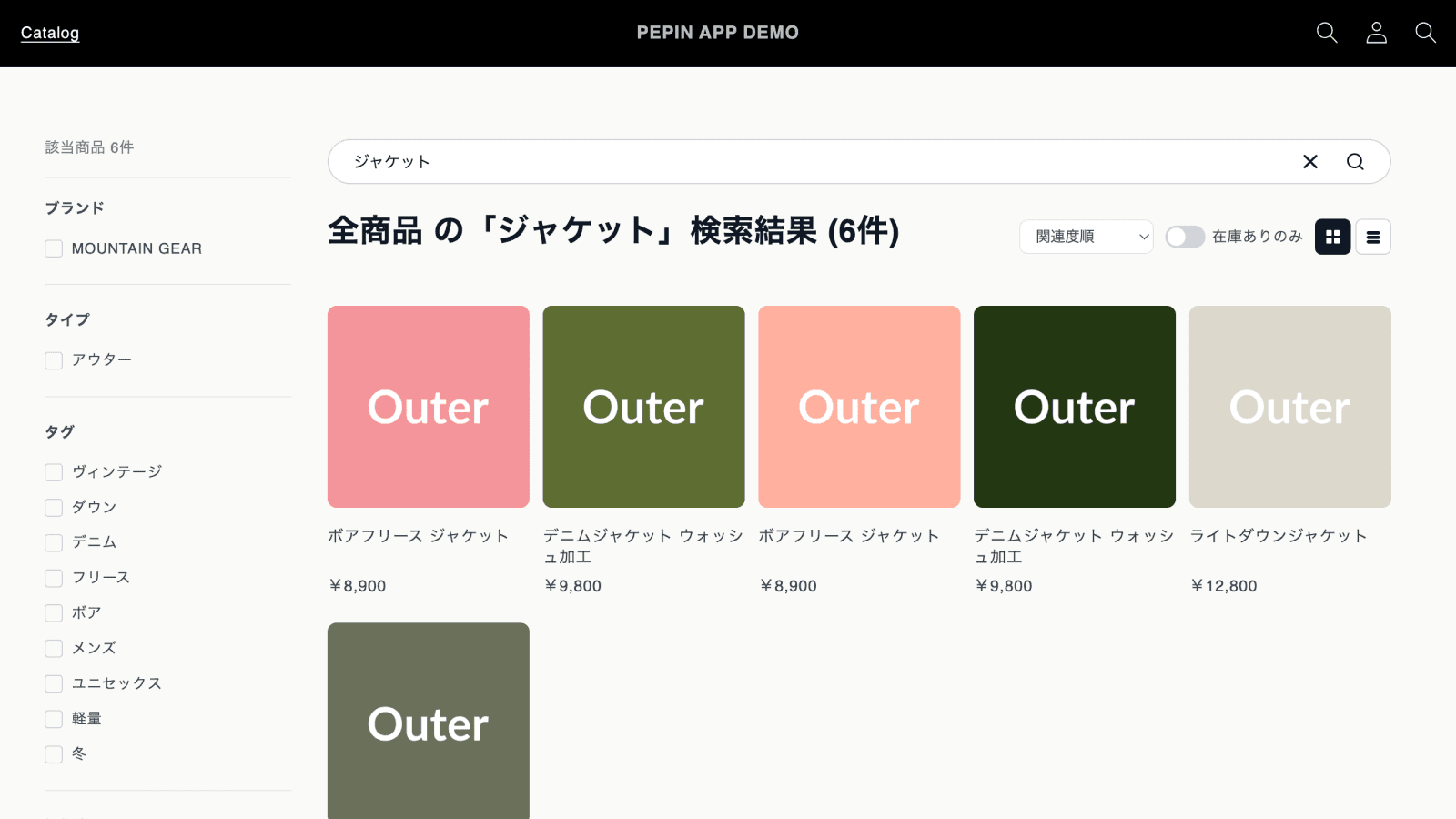
Collection page with scoped search and filters
Click to expand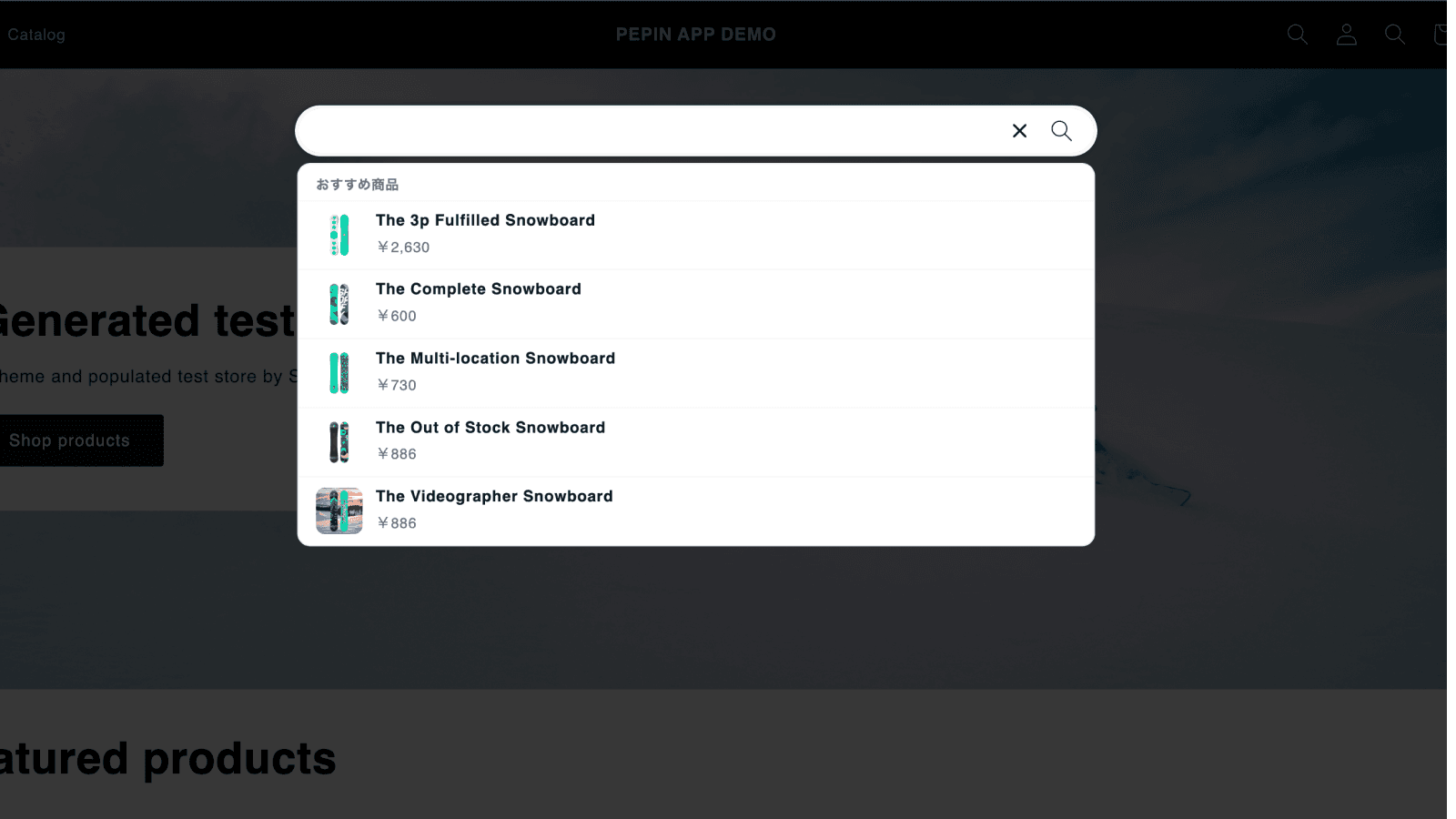
Header search with recommended products
Click to expand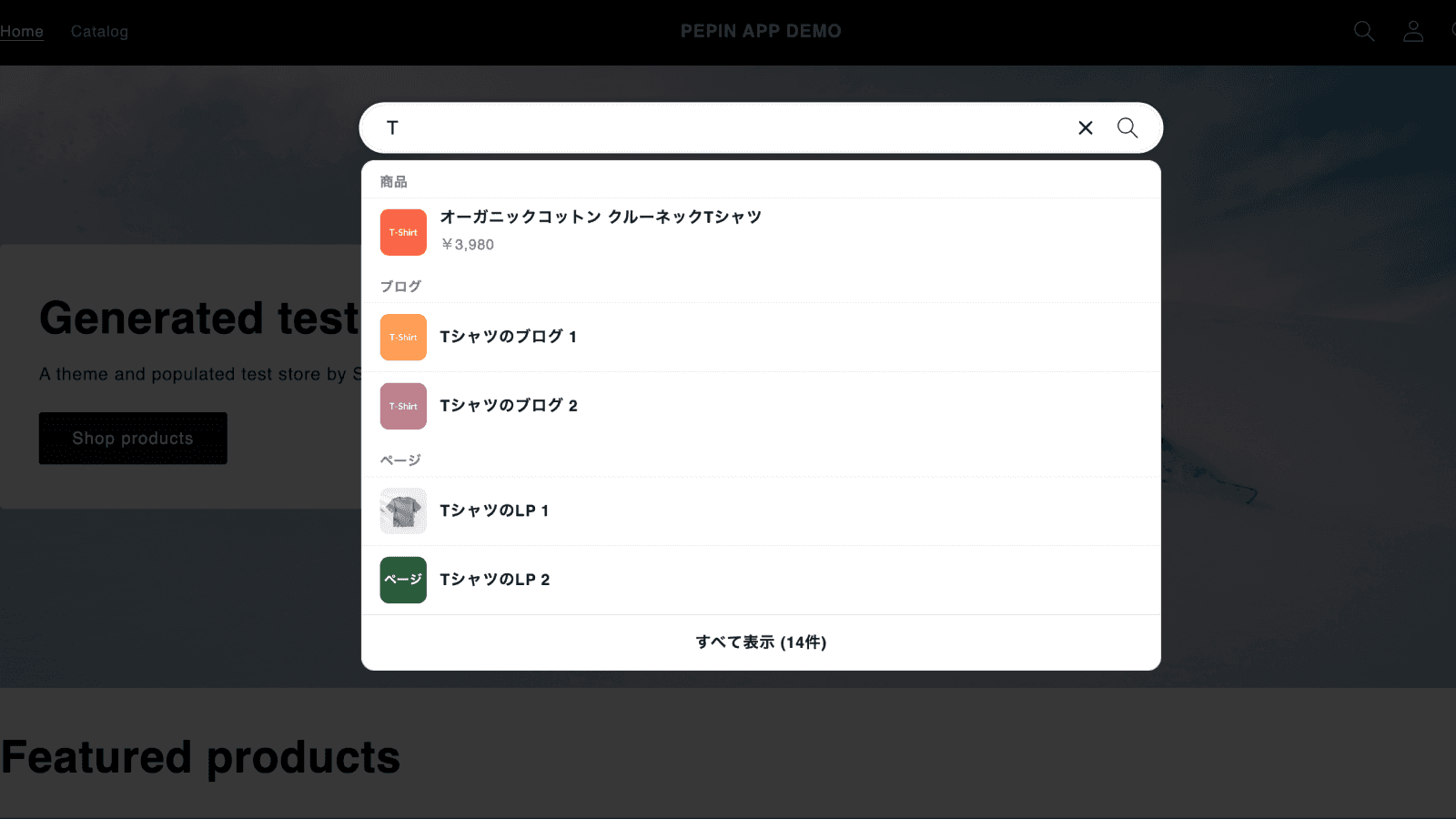
Header search with categorized suggestions while typing
Click to expand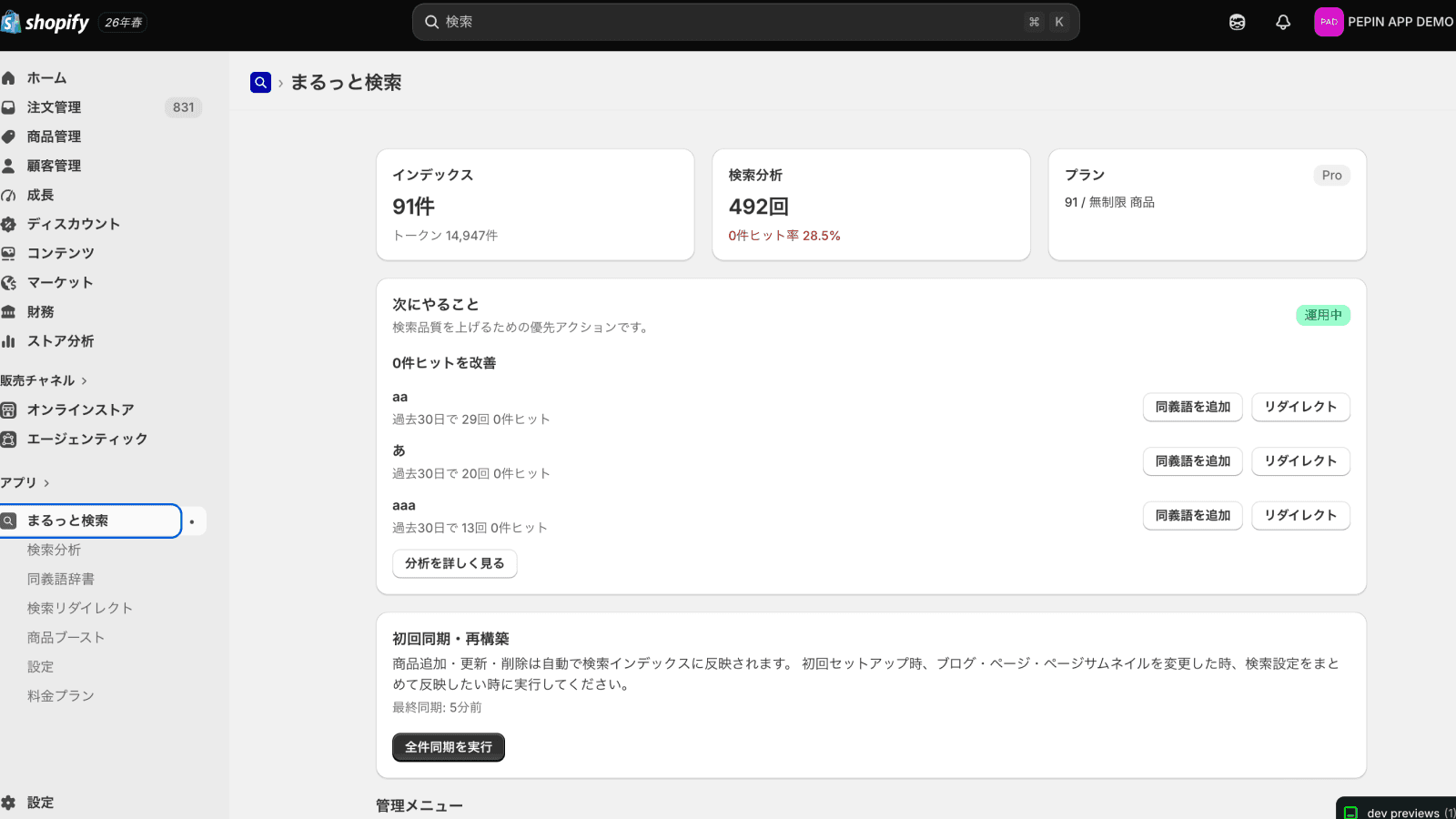
Admin home with index, analytics, and plan status
Click to expand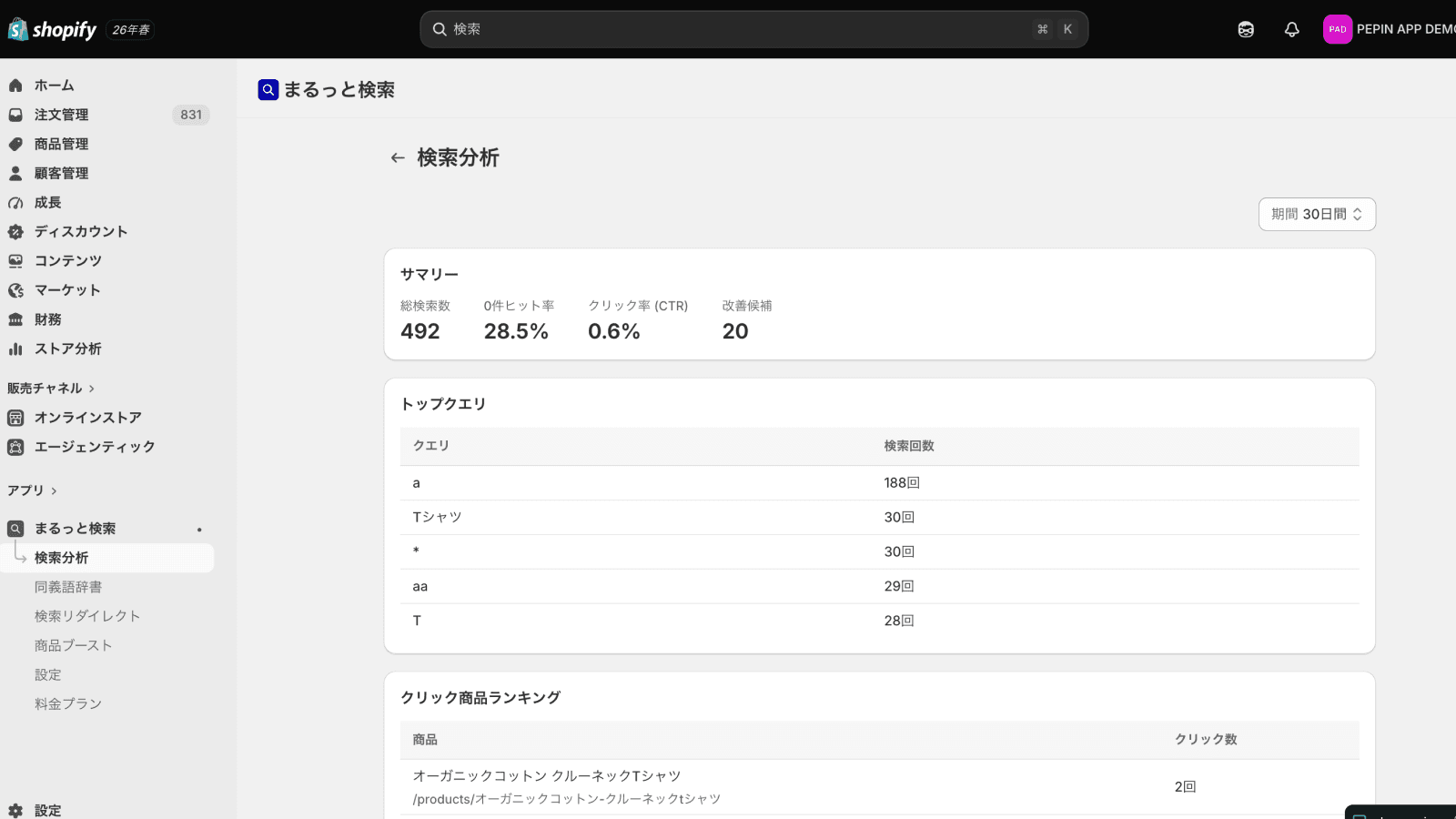
Search analytics with popular searches, zero-hit searches, and clicked products
Click to expand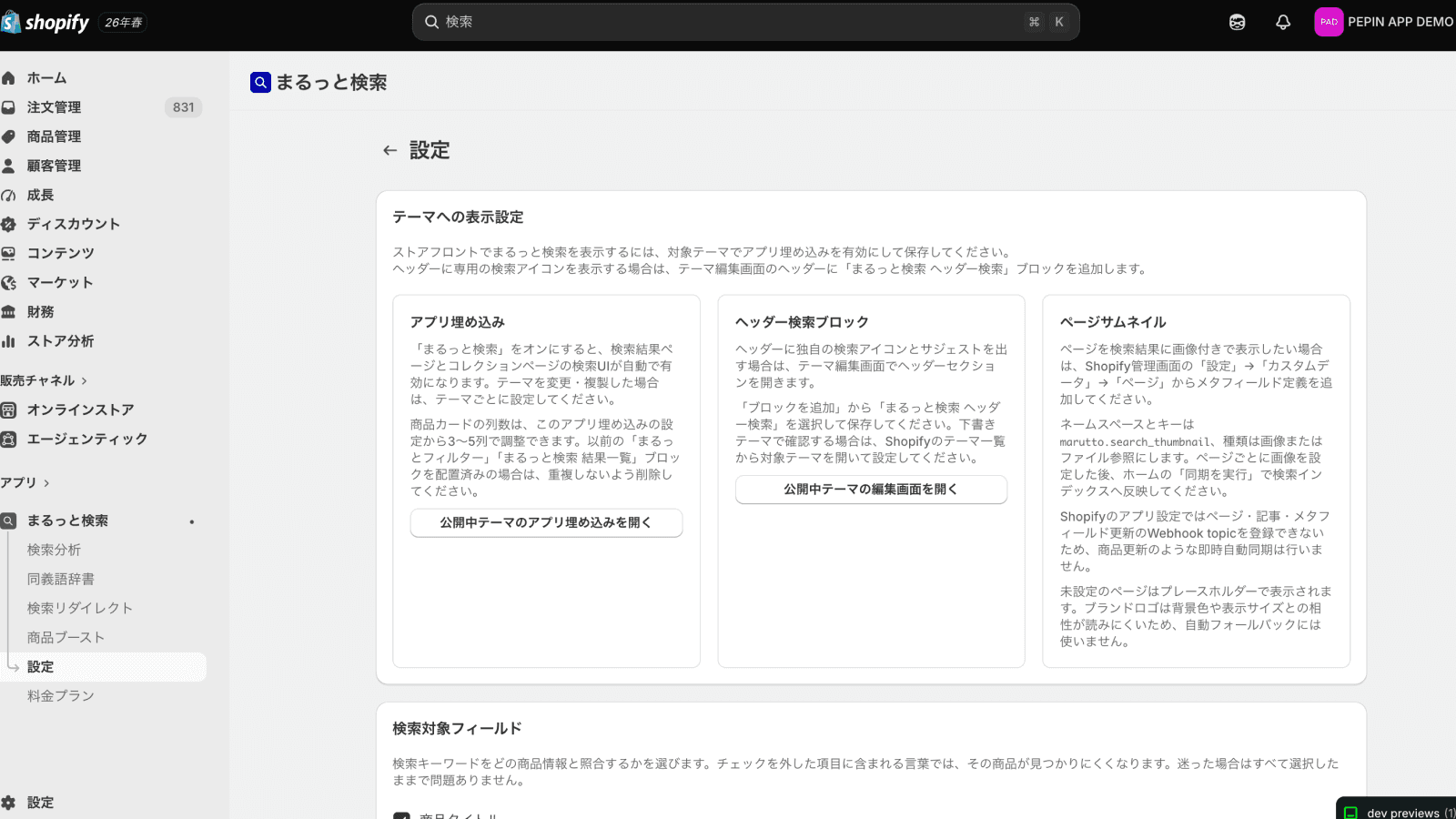
Settings for searchable fields, update delay, and page thumbnail guidance
Click to expand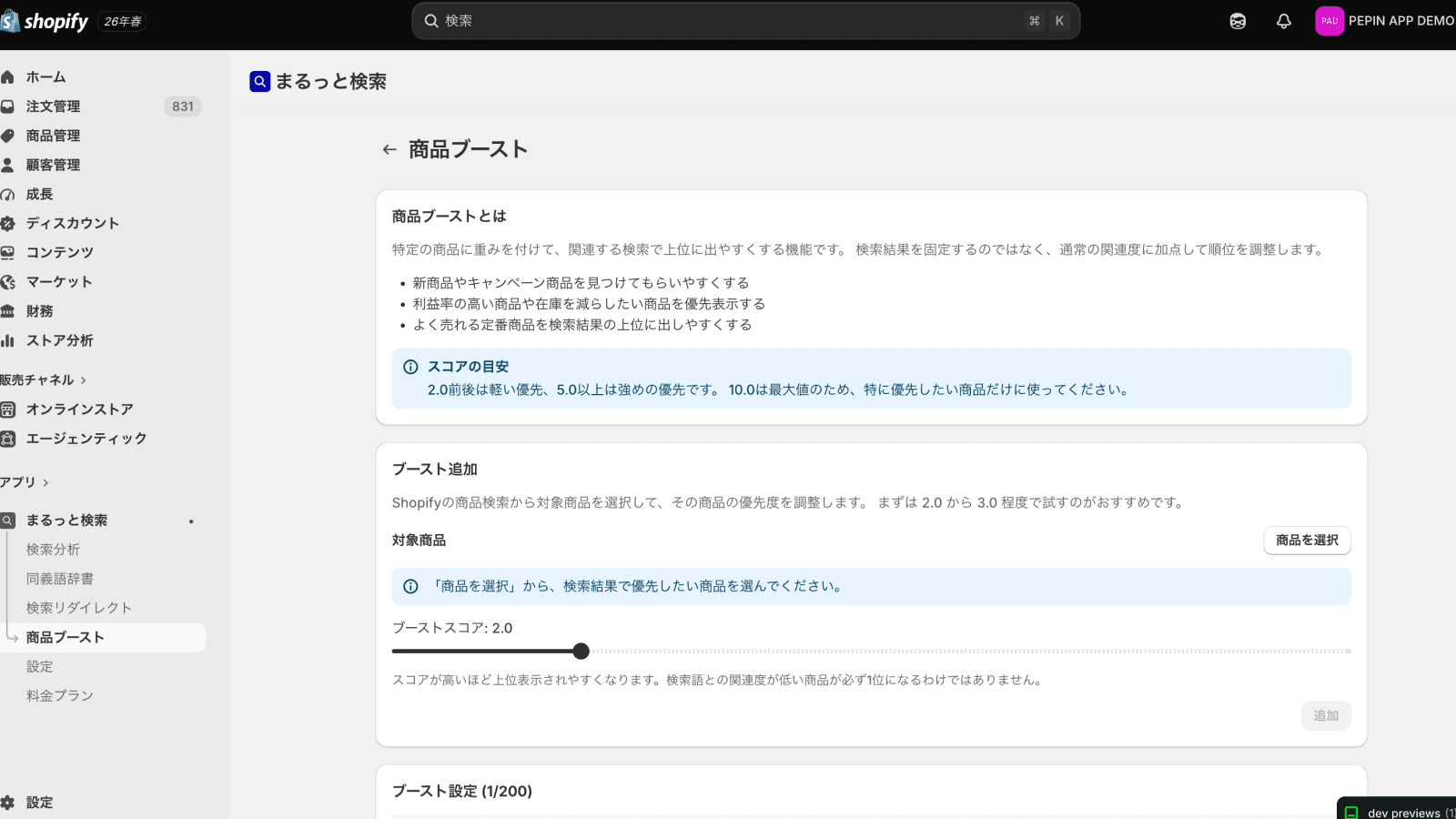
Pro feature: product boost
Click to expand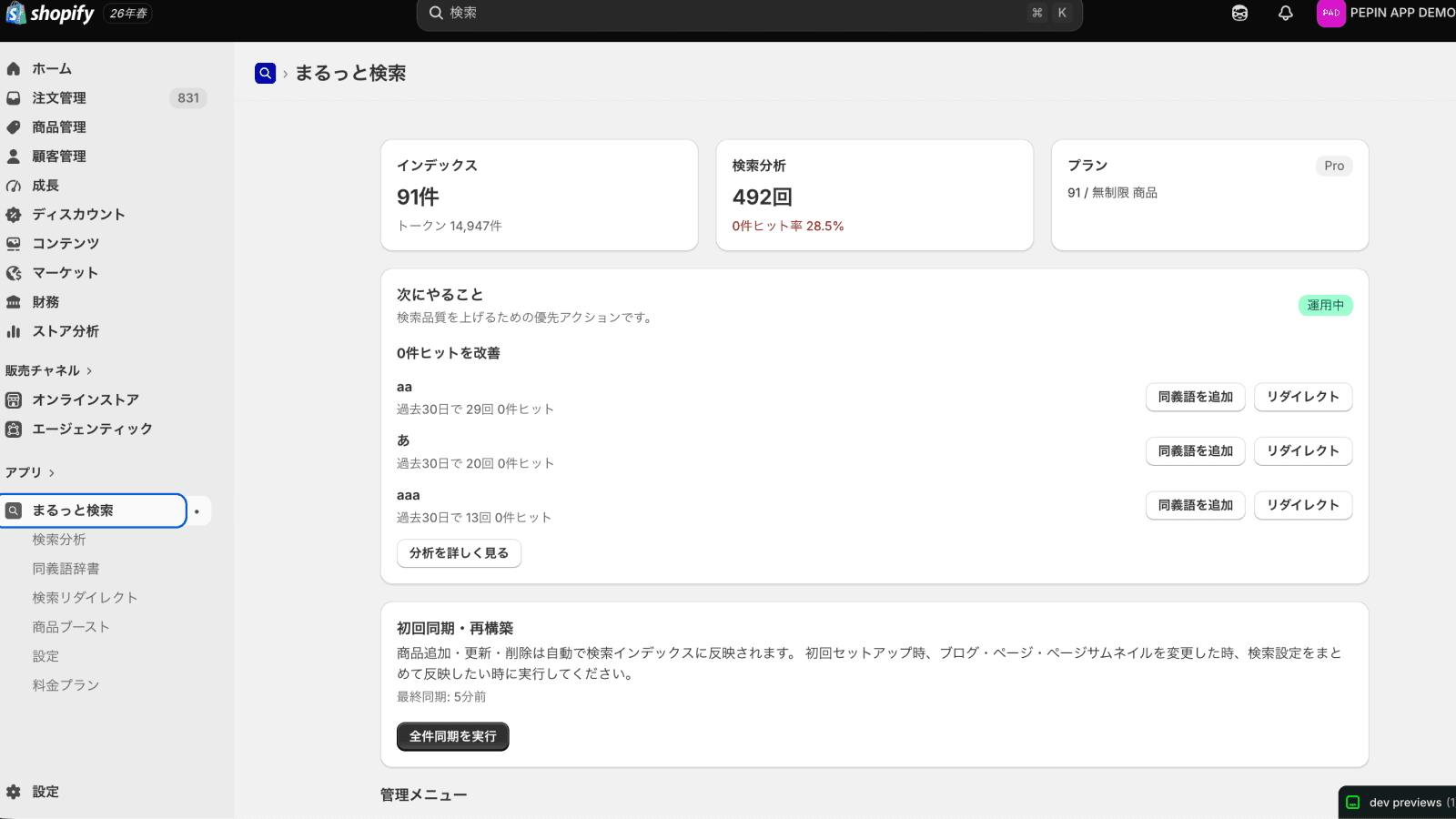
Admin home with improvement actions and sync
Click to expandWho it's for
Right-sized for your store.
Solo merchants starting free with up to 50 products
Reduce "can't find product" complaints and improve search and collection pages without code. Basic is sized for this range.
Mid-size brands with larger catalogs
Eliminate notation-driven zero-hit searches. Pro adds custom synonyms, redirects, product boosts, product metafield search, and review-powered search integration so search can match your brand operations.
Shopify Plus stores
Run unlimited-product search with redirects, boosts, product metafield search, and field-weight control on the $49.99/mo Pro plan.
Cross-border & multilingual
Auto-detects your published locales and searches translated product text per language, so Japanese notation matching and multilingual search for overseas shoppers run in the same app.
From merchants
What the businesses using it have told us.
We asked businesses we work with to write these reviews. We did not set what they wrote or offer anything in return.
5.0 / 5 · 3 reviews (Shopify App Store, as of 6 October 2026)
I installed it to make product search in Japanese easier to use. It finds products even when the spelling differs between hiragana, katakana and kanji, which makes it much easier for customers to find what they are looking for. Search suggestions appear as you type, so even in a shop with a lot of products people get to the item smoothly. Setup was simple, and it was reassuring that there was no need to edit the theme files directly. It handles the spelling variations that are specific to Japanese properly, and I would recommend it to any Shopify shop that wants better on-site search.
逢季荘Translated from JapaneseRead the original on the App Store I was worried about how a search app would affect our theme, but we could start using it without changing any theme files. It is designed to fall back to the standard search if anything goes wrong, so we run it with peace of mind. Replies to questions are quick, and support from a developer based in Japan is reassuring.
emon.co.jpTranslated from JapaneseRead the original on the App Store Customers search in different ways, by brand name, product name or item number, so in the past some of them could not reach the product they wanted. Since installing this app, results come up even when the spelling differs between hiragana, katakana and kanji, and the store feels much easier to browse. Suggestions appear as soon as part of an item number is typed, which helps customers who arrive from social media or outfit posts. It installed without editing the theme, and the price stays the same however many searches there are, which was reassuring for an apparel store with a large catalogue.
Karen MoriyamaTranslated from JapaneseRead the original on the App Store
Search API on the Pro plan
Search results in your design,anywhere in your store.
On the Pro plan you receive Japanese-aware search results as JSON. Place them beyond the search results page, in your theme's own look. Each placement has a live sample to try.
- 01Search results pageFilters by color and material, in your theme's look
- 02HeaderProduct and article suggestions while typing
- 03CollectionsFilter a collection by material or stock
- 04Product pageIn-stock related items in the same material
- 05CartJust the right item to reach free shipping
- 06ArticlesProduct lists where sold-out items drop out
Simple pricing
Free for up to 50 products. Paid plans include a 14-day free trial.
Basic
For smaller stores that want search UI matched to their theme.
- Notation and input variation handling
- Theme placement and app embeds
- Search filters and design controls
- Product card and variation display
- Header, blog, and page search
- Product auto-sync
- Basic search report (searches, zero-hit rate, click rate)
- Popular searches and clicked products
Pro
For stores that want relevance tuning with synonyms and boosts, plus reviews and the Search API.
- Everything in Basic
- Custom synonym dictionary
- Search redirects
- Product boost and field weight tuning
- Product recommendations
- Product metafield search
- Search-attributed revenue, orders, conversion
- Search-to-purchase analytics and suggestions
- Review collection, display, and reply management
- Review rating filters and search integration
- Search API (show results in your own design)
A free plan covers up to 50 products. Paid plans include a 14-day free trial. Billed in USD through Shopify — cancel anytime.
FAQ
FAQ
Do I need developer skills to install this?
No code editing is required. Search results and collection pages appear when you turn on "App embeds > Maru Search" in the theme editor. Add a dedicated header block only if you want header search.
How many products are supported?
The free plan covers up to 50 products. Basic and Pro both support unlimited products.
How are products synced?
Products auto-sync by webhook. Product create, update, delete, and publication changes are reflected in the search index. Blog posts, pages, and page thumbnails are reflected from the admin sync button.
Can it search blogs and pages?
Yes, on the Basic plan and above. Blog articles can show article images, and pages can show images from the marutto.search_thumbnail metafield. If a page image is not set, a page placeholder is shown. The Free plan searches products, including variants.
Will it conflict with my existing theme search?
No. Maru Search does not overwrite the existing theme header search. Its header search is added as a dedicated block in the header section.
Where do recommended products appear?
Recommended products appear when opening header search and when a search results page returns zero results. Up to five products are shown; if products are configured in admin, only those products are shown.
What does Pro add?
Pro includes all Basic features plus custom synonym dictionaries, search redirects, product boosts, product metafield search, field weight tuning, review collection and replies, review rating filters, and review-powered search integration.
Can I change plans later?
Yes, anytime from the Shopify admin. Upgrades are prorated; downgrades take effect at the next billing cycle.
Can I see search-attributed revenue and conversion?
Pro shows search-attributed revenue, orders, and conversion, plus the search → product view → cart → purchase funnel. It also measures how notation variations are absorbed and automatically suggests fixes for zero-hit searches. Basic reports — searches, zero-hit rate, click rate, and popular searches — are available on all plans, including Basic.
Which plan includes reviews and search integration?
These features are included in Pro. Collect and display reviews with verified purchase badges and merchant replies, show stars and counts in search results, filter by review rating, and use published reviews as a supporting signal for search relevance.
Does it work for multilingual stores and cross-border selling?
Japanese search works out of the box. Search in English and other non-Japanese languages is being rolled out store by store; until it is enabled for your store, shoppers browsing in those languages see Shopify's standard search. For enabled languages, Maru Search auto-detects your published locales and searches the translated product text in each language. If you need it for overseas languages, contact us before installing. The admin UI is available in 12 languages, including Japanese and English.
Can shoppers search by part number, model number, or SKU?
Yes, on every plan. SKUs and barcodes are the heaviest weighted field in the index (20.0, twice the product title), and an exact match is placed at the top tier before relevance scoring runs. Partial input such as "wd650" is matched as a prefix, and full-width input reaches the half-width SKU. Product ID search is supported as well.
Can I build my own search UI?
Pro includes Search API v1 (contract=v1), which returns results as JSON for you to render in your own theme. It runs on your own storefront domain through the Shopify app proxy, and Maru Search never rewrites your theme HTML. Contract v1 is maintained for at least 12 months, with 6 months notice before any removal.
Stop losing shoppers to search.
Free for up to 50 products, and paid plans include a 14-day free trial. Search results and collection pages appear through app embeds. Header search can be added with a dedicated block.